


Install Our App On Your Device
Note: A PWA (Progressive Web App) is a website that can be installed on your device like an app. It makes it easier to access from your home screen and provides some features for offline use.
Install on Android Device
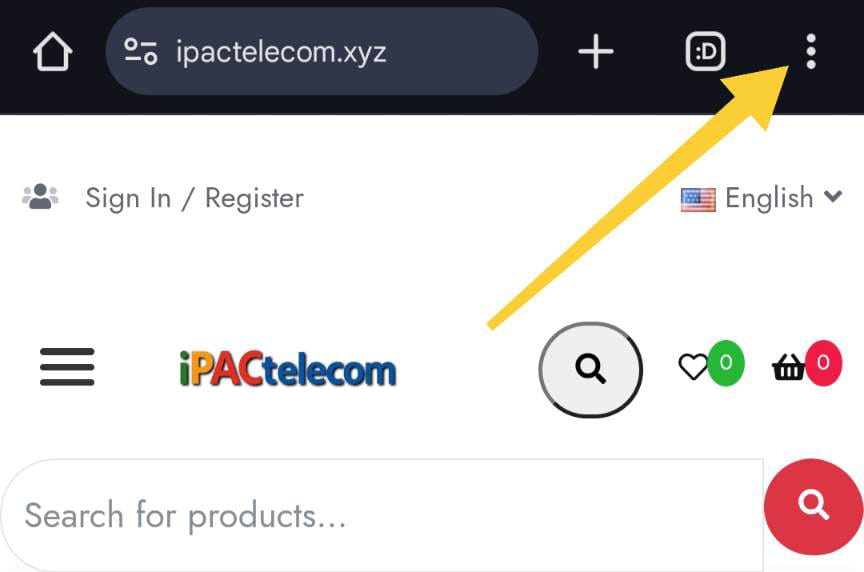
Open the Google Chrome browser on your Android device and navigate to our website (ipactelecom.xyz).
Tap on the three dots (⋮) menu icon in the top right corner of the browser.
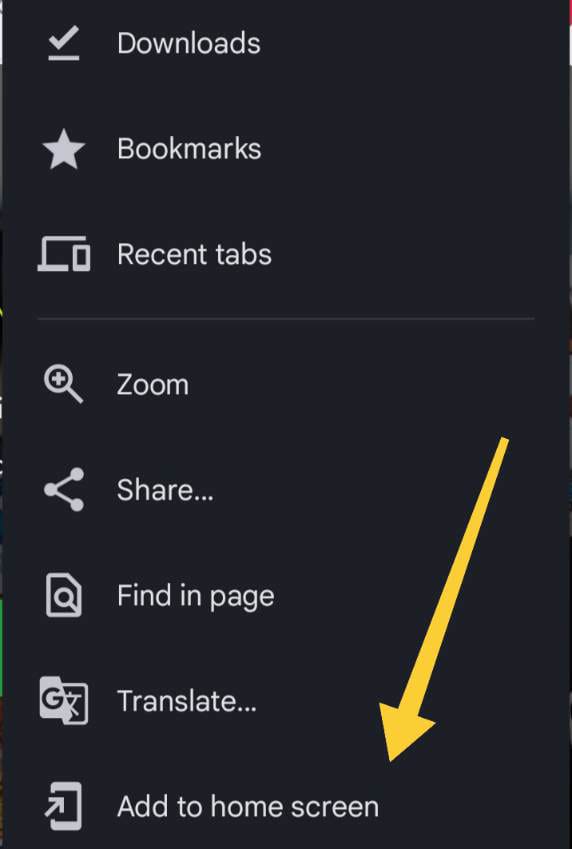
Select "Add to Home Screen" from the dropdown menu.
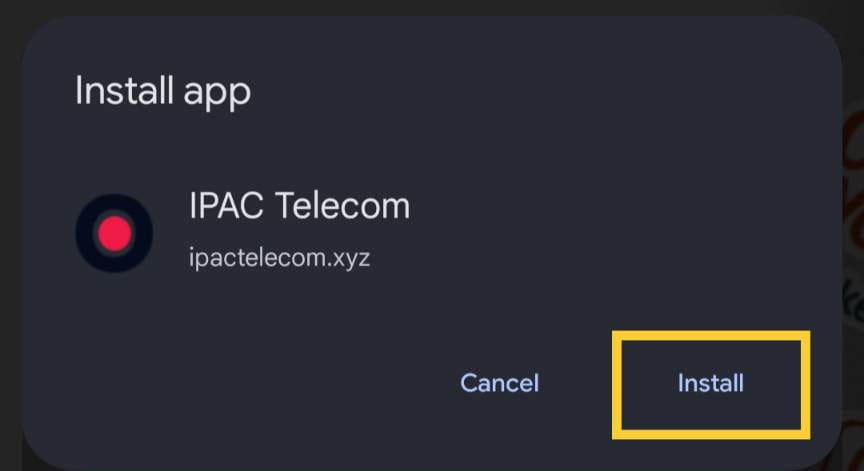
Then tap on the "Install" button.
Now you will see the IPAC Telecom app icon on your home screen. Tap on it to open the app.
Install on iPhone or iPad
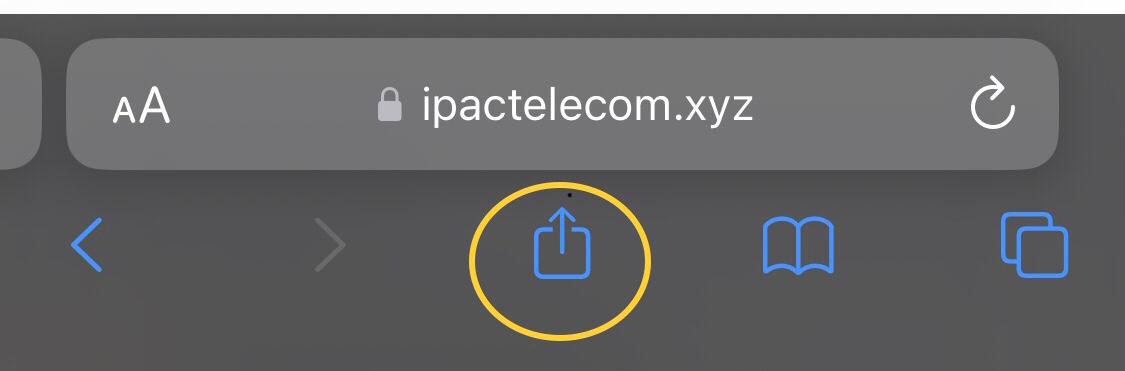
Open the Safari browser on your iPhone or iPad and navigate to our website (ipactelecom.xyz).
Tap on the Share icon (an arrow coming out of a box) at the bottom of the browser.
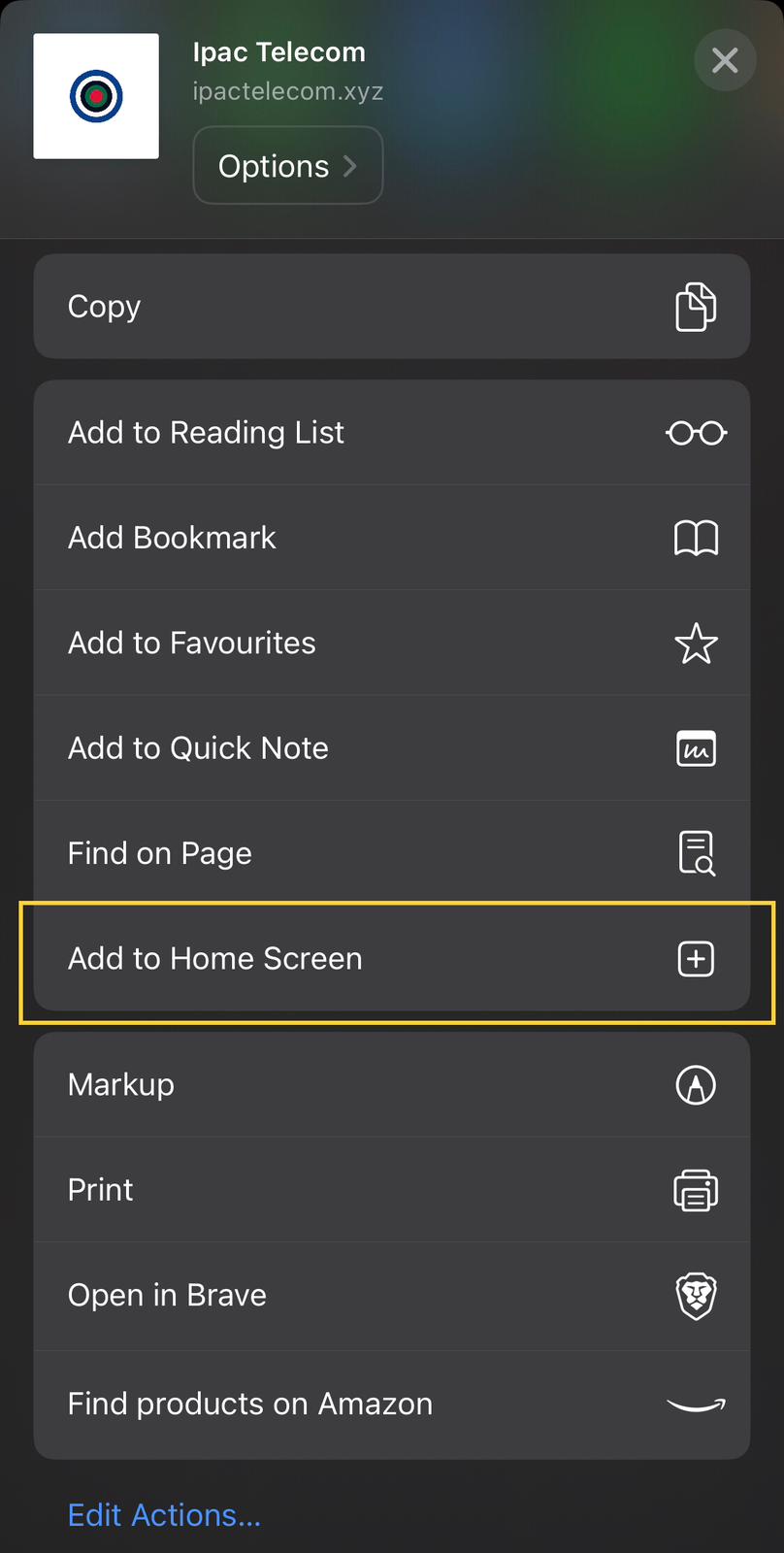
Scroll through the share menu and select "Add to Home Screen".
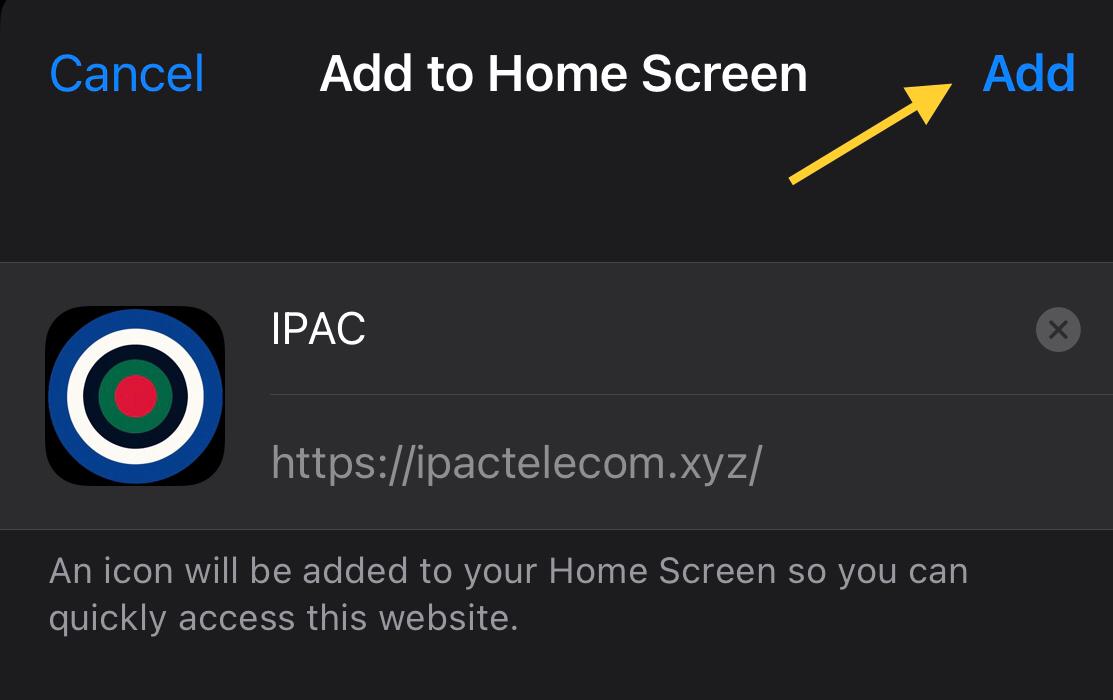
You can change the name of the app if you want, then tap on the "Add" button in the top right corner.
Now you will see the IPAC Telecom app icon on your home screen. Tap on it to open the app.